Run from Fast Fredbear Players
Community and multiplayer information for the ultimate survival experience.
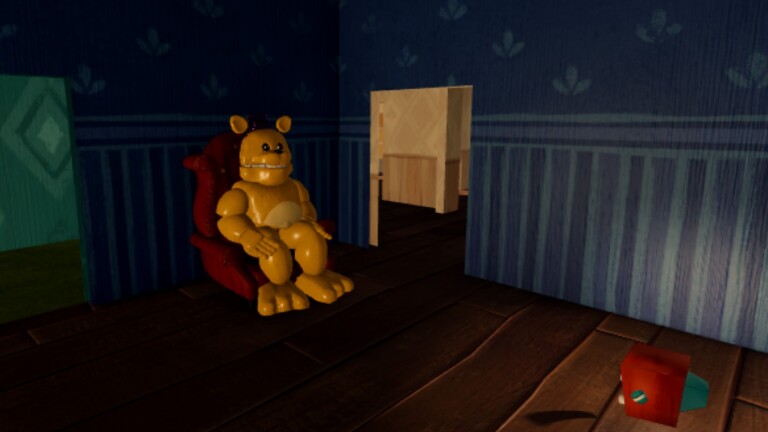
Player Information and Community Overview
Run from Fast Fredbear on Roblox supports up to 6 players in multiplayer sessions, creating a unique and dynamic gameplay experience that differs significantly from solo play. This comprehensive guide covers everything you need to know about playing with others, community etiquette, and maximizing your enjoyment of this thrilling survival horror experience.
Multiplayer Features and Mechanics
Session Structure
When you join a multiplayer session, you'll find yourself in a lobby area before the game begins. The game automatically matches players or allows you to join existing sessions. Each session can accommodate up to 6 players simultaneously, creating opportunities for both cooperation and friendly competition.
Cooperative Gameplay Elements
Playing with others fundamentally changes how you approach Fredbear's House:
Shared Objectives All players work together toward the common goal of escaping the house. This shared objective creates natural coordination opportunities and encourages teamwork. However, it also means that one player's mistakes can affect everyone.
Distraction Coordination Multiple players can use the F key to distract Fredbear from different locations simultaneously. This creates confusion and significantly extends safe windows for item collection and navigation. Effective distraction coordination can cut escape times dramatically.
Item Collection Division With more players, you can divide item collection responsibilities. One player can focus on keys while another retrieves tools. This parallelization makes the escape process more efficient.
Rescue Mechanics When a teammate gets caught, remaining players have a window to complete the objective. This creates dramatic moments where players must choose between attempting rescue or completing the escape.
Co-op Roles That Actually Clear
Public lobbies fail when all six players chase the same prop. Assign jobs before you enter the foyer:
Bait caller
Owns the F key. Stands in rooms with two exits, calls Fredbear away from storage, boxes, or the ladder, and announces "baiting now" in chat or voice. Reads Controls and Fredbear Behavior until call timing is boring.
Key runner
Sprints the quiet route upstairs for the red key, then rotates to car keys at the trunk. Does not linger on the second floor. Uses Hiding Spots only to break a chase, then rejoins the ground chain.
Magnet specialist
Finds the magnet, climbs the back boxes alone, faces the ladder side, looks right, mouse-locks if needed, and pulls the lockpick. Everyone else holds perimeter or baits — nobody stacks on the crates. Details: Item Locations.
Unlock / wrench runner
Takes lockpick to the entrance locked room after a bait window, grabs the wrench, unlocks the roof ladder, and calls when the shaft is safe to climb.
Flex / scout (5th–6th players)
Watch stairs, call Fredbear location, or probe optional boards only after magnet + lockpick are secure (Secrets). Flex players are not a second magnet body on the same boxes.
When NOT to Stack on the Same Item
- Lockpick boxes — one climber; extras block aim and create noise
- Trunk car keys — two players max; the rest watch sight lines
- Storage door — one unlocker after bait; a crowd in the foyer is free lunch for Fredbear
- Ladder — climb single-file after a committed away-bait; six bodies on rungs is a meme death
If two people grab for the same tool, the third should already be baiting or holding a hide. Duplicate effort is how six-player sessions feel slower than solo.
Six-Player Communication Rules
- Call F uses out loud so nobody walks into the sprint path.
- Call item secured ("magnet taken") to stop duplicate searching.
- Call Fredbear floor/wing, not vibes ("he's upstairs mid") .
- Mute non-essential chat during storage unlock and ladder climb.
- Revive the plan after a wipe — do not invent a new item order mid-tilt (How to Escape).
Advanced Multiplayer Strategies
Team Coordination Techniques
Spread Out Strategy Cover more ground by splitting up when it's safe. While one player explores the second floor, another can search the garage. This approach maximizes efficiency but requires trust and communication.
Timed Distraction Execution Coordinate F key usage in sequence. When one player's distraction wears off, another activates theirs. This creates a continuous safe zone for movement.
Buddy System In tight or dangerous areas, stay together. Two players supporting each other can navigate risky sections more safely than one player alone.
Information Sharing Communicate Fredbear's location, item discoveries, and escape progress. Good communication prevents duplicate efforts and helps the team focus on remaining objectives.
Community Guidelines and Etiquette
Playing Respectfully with Others
When playing with random players or friends, follow these community guidelines:
1. Respect Experience Levels Some players are new to the game and learning the mechanics. Be patient with beginners and offer helpful tips rather than criticism. The community grows when we support each other.
2. Share Discoveries If you find a useful item location or safe route, share it with your team. Generosity builds a positive community atmosphere.
3. Avoid Sabotage Never trap teammates in dangerous situations or deliberately lead Fredbear to them. Such behavior ruins the experience for others and damages the community.
4. Follow Roblox Guidelines Maintain appropriate behavior following Roblox's Terms of Service. Harassment, hate speech, or inappropriate content results in account penalties.
Game Statistics and Player Metrics
Player Engagement Data
| Statistic | Value | Notes | |-----------|-------|-------| | Maximum Players per Session | 6 | Optimal for balanced gameplay | | Game Pass Price | 65 Robux | Optional speed boost | | Player Rating | ~85% positive | Based on Roblox reviews | | Total Visits | 10+ million | Active player base | | Active Development | Ongoing | Regular updates |
Finding and Connecting with Players
Multiplayer Session Options
Public Sessions Join the game's public matchmaking to play with random players. This is a great way to meet new people and experience diverse playstyles.
Private Sessions with Friends Use Roblox's party and friend systems to create private sessions with people you know. Coordinate strategies and enjoy a more controlled experience.
Community Servers Many Discord servers and social media groups organize regular play sessions. These communities often have scheduled events and can help you find consistent teammates.
Solo vs Multiplayer Comparison
Solo Play Experience
Advantages:
- Full control over pace and strategy
- Complete autonomy in decision-making
- No coordination required
- More challenging due to limited distractions
- Personal satisfaction from completing alone
Disadvantages:
- No backup if caught
- Slower item collection
- More stressful overall
- No shared discoveries
Multiplayer Experience
Advantages:
- Shared challenge creates bonding experiences
- Faster completion through coordination
- More chaotic but potentially more fun
- Distributed responsibility reduces individual pressure
- Social interaction enhances enjoyment
Disadvantages:
- Requires communication and trust
- One player's mistakes affect everyone
- May move too fast for beginners
- Can be overwhelming with too many players
Tips for New Players in Multiplayer
Getting Started
-
Observe Before Acting Watch how experienced players navigate the house and handle Fredbear. Learning from others accelerates your skill development.
-
Ask Questions Use in-game chat to ask experienced players for tips. Most players are happy to help newcomers learn.
-
Focus on Survival First Don't worry about completing objectives immediately. Prioritize staying alive and learning Fredbear's patterns.
-
Use Downtime Strategically When Fredbear is chasing another player, use that time to collect items safely. Many players overlook this opportunity.
-
Stay Together Only in Choke Points In tight spaces (storage, ladder shaft) pair up. Everywhere else, split roles — six players glued together are louder and slower than three pairs with jobs.
Community Building
Contributing to the Community
Help grow and improve the Run from Fast Fredbear community by:
- Sharing strategies and tips with other players
- Creating content like guides, videos, or artwork
- Participating in community discussions
- Providing constructive feedback to developers
- Welcoming new players and helping them learn
The community makes this game more than just a single-player experience. Together, we create lasting memories and exciting moments that define what makes Run from Fast Fredbear special.
Related Pages
- Controls — F, sprint, throw, mouse lock
- Hiding Spots — bait while a teammate hides
- Item Locations — magnet angle checklist
- How to Escape — shared checklist
- Secrets — optional finds after tools are secure
- Guides Hub — full index
- Updates — AI and pass changes
- Codes — still no active codes as of Sep 2026
Frequently Asked Questions
Quick answers to the most common questions about Run from Fast Fredbear.
How many players can play Run from Fast Fredbear together?
Run from Fast Fredbear supports up to 6 players in a single multiplayer session. This allows for coordinated team strategies while maintaining an intimate group size.
Is multiplayer required to complete the game?
No, the game can be completed entirely in solo mode. Multiplayer is optional and enhances the experience through coordination, but solo play offers a more challenging and personal experience.
Can I play with my friends privately?
Yes! You can use Roblox's party system to invite friends and create private sessions. You can also join community Discord servers where players organize regular group play sessions.
What happens when a teammate gets caught?
When a player gets caught, the round typically continues with remaining players. The captured player may respawn depending on the game mode, allowing them to rejoin the escape attempt.
Does the game pass provide multiplayer advantages?
The optional speed pass (65 Robux) is a personal upgrade that lets you sprint as fast as Fredbear. It doesn't provide direct multiplayer advantages but can help you escape chases more easily in group settings.
How can I find consistent teammates?
Join community Discord servers, participate in forum discussions, or connect with players you enjoy playing with. Many players form lasting teams through regular group sessions.