Run from Fast Fredbear Links
Official resources and community links in one place.
Welcome to the Official Links Hub
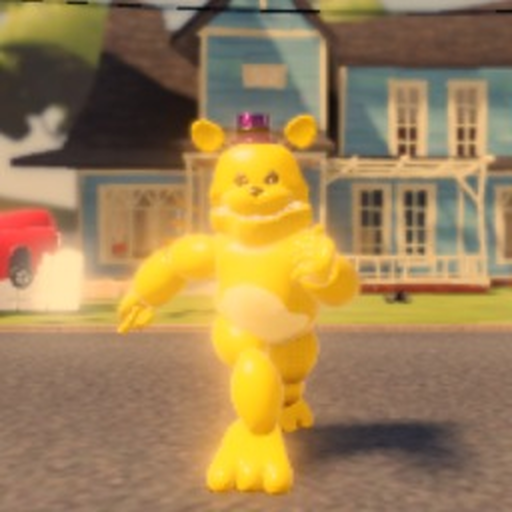
This page contains all official and community resources for Run from Fast Fredbear, the popular Roblox survival horror game by Sam Fusion Games. Whether you're looking for the game itself, want to connect with the developer, or need community support, you'll find everything here.
Official Resources
Main Game Page
The official Roblox game page is your primary source for playing Run from Fast Fredbear. You can access the game directly through this link, check player reviews, view screenshots, and stay updated on the latest developments. The game is free to play and supports up to 6 players simultaneously.
Key Features on the Game Page:
- Play button to launch the game
- Player reviews and ratings
- Screenshot gallery
- Update history
- Developer information
Developer Group
Sam Fusion Games is the creative force behind Run from Fast Fredbear. By following their official Roblox group, you can stay connected with all their projects, receive announcements about updates, and potentially participate in beta testing or community events.
Community Resources
This Wiki
You're currently browsing the most comprehensive guide to Run from Fast Fredbear. Our wiki covers everything from beginner tutorials to advanced strategies, item locations, escape routes, and Fredbear behavior analysis. We update regularly as new content is released.
Roblox Developer Forum
For technical discussions, game development insights, and broader Roblox community engagement, the Roblox Developer Forum provides a wealth of information. While not specific to Run from Fast Fredbear, it's an excellent resource for understanding Roblox game development.
Getting Help and Support
Troubleshooting
If you encounter technical issues while playing Run from Fast Fredbear:
- Check the game page for known issues or announcements
- Verify your internet connection is stable
- Try restarting the game
- Ensure your Roblox client is up to date
- Check Roblox's server status
Reporting Issues
When reporting bugs or suggesting features:
- Be specific about the issue you're experiencing
- Include steps to reproduce the problem
- Describe what you expected to happen vs what actually happened
- Provide your device/platform information
Social Media and Community
Connecting with Other Players
Run from Fast Fredbear has a vibrant community of players who share tips, strategies, and experiences. Engaging with the community can significantly improve your gameplay and make the experience more enjoyable.
Discord Servers
Many players have created Discord servers dedicated to Run from Fast Fredbear. These communities offer:
- Real-time chat with other players
- Strategy sharing and tips
- Matchmaking for multiplayer sessions
- Bug reporting channels
- Developer announcements
Future Updates
Run from Fast Fredbear is actively developed, which means new content, features, and improvements are regularly added. Stay connected through the official channels listed above to ensure you don't miss any exciting updates.
Disclaimer
This wiki is a fan-made resource and is not affiliated with Sam Fusion Games or Roblox Corporation. We aim to provide accurate and helpful information, but always verify important announcements through official channels.
Recommended Wiki Path
New survivors should move in this order after bookmarking official links:
- Getting Started for controls and noise rules
- How to Escape for the full item chain
- Item Locations when a spawn refuses to click
- Escape Routes and Fredbear Behavior for cleaner clears
- Codes only for status checks — there are no confirmed active codes yet
- Updates after patches change AI or layout details
That path keeps you on verified facts instead of rumor threads about fake animatronics or unpaid "pass unlock" tools listed on Scripts.
Keep this links hub handy whenever a social post claims a new animatronic, a miracle code, or a free pass unlock. Verify against Updates and the guides above before you trust it.
Frequently Asked Questions
Quick answers to the most common questions about Run from Fast Fredbear.
Is this an official wiki?
No, this is a fan-made wiki created by the community. We are not affiliated with Sam Fusion Games or Roblox Corporation, but we strive to provide accurate and helpful information about Run from Fast Fredbear.
Where can I report bugs?
Visit the official Roblox game page to check for known issues and connect with the developer community. For game-specific feedback, follow Sam Fusion Games on Roblox to stay updated on bug fixes and feature requests.
Is the game still being updated?
Yes, Run from Fast Fredbear is actively developed by Sam Fusion Games. Check the game page regularly for new updates, bug fixes, and additional content. The game supports up to 6 players and receives regular improvements.
How do I join multiplayer games?
You can join multiplayer sessions by playing the game on Roblox. Players can invite friends through Roblox's party system, or you can play with random players who join your session. The game supports up to 6 players in a single session.
Are there community events?
Community events may be organized by players through Discord servers or social media. The developer may also host special in-game events. Check the official game page and developer announcements for the latest information.